Remo AI · Programme
Remo AI for Programme
Review the contractor’s programme before you accept it.
Upload the Primavera P6 baseline, and your own layout file if you like. Remo checks every activity, link and lag, puts a number and its working on every finding, and gives the Planning Engineer a verdict. The engineer decides; Remo keeps the record.
Fictional project and contractor. No client data.
How it works
From XER file to a decision on the record.
Screens are from a fictional project. Every figure on them comes from the review engine reading that file.
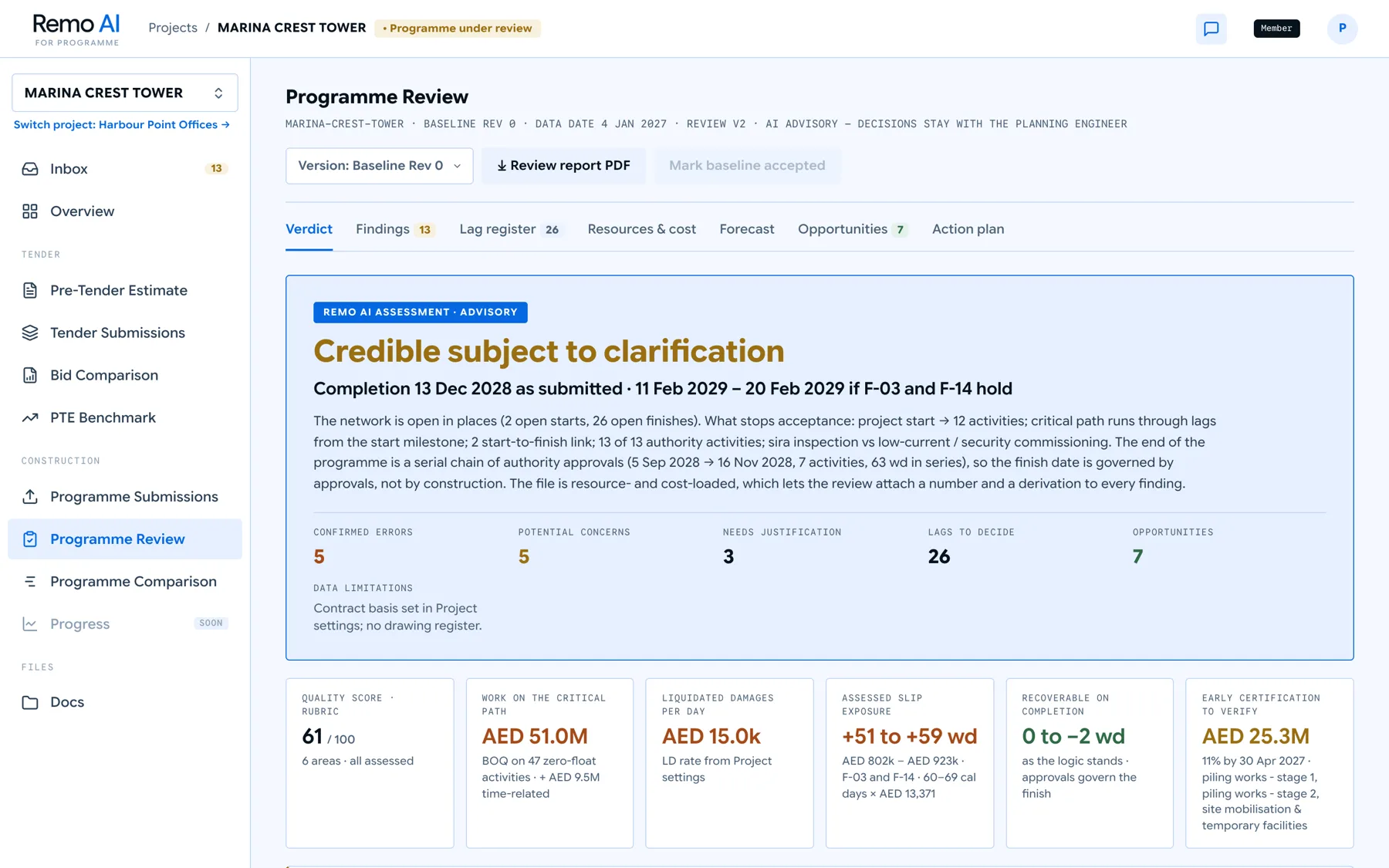
- Step 1 · Verdict A clear verdict, with the reasoning Credible, subject to clarification. What blocks acceptance, and how far completion could slip if it holds.
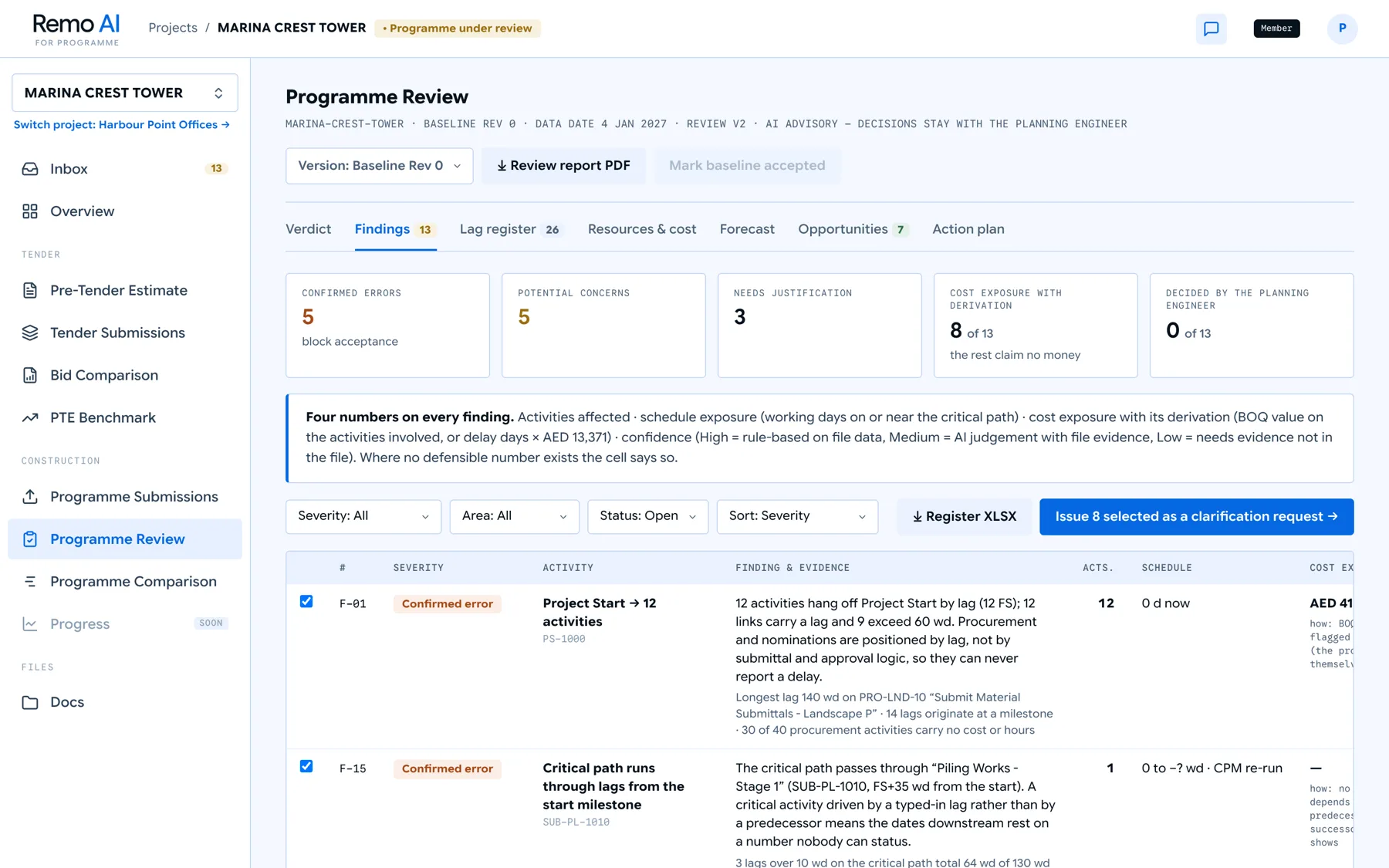
- Step 2 · Findings Four numbers on every finding Activities affected, schedule exposure, cost exposure with its derivation, and a confidence level. No number without its working.
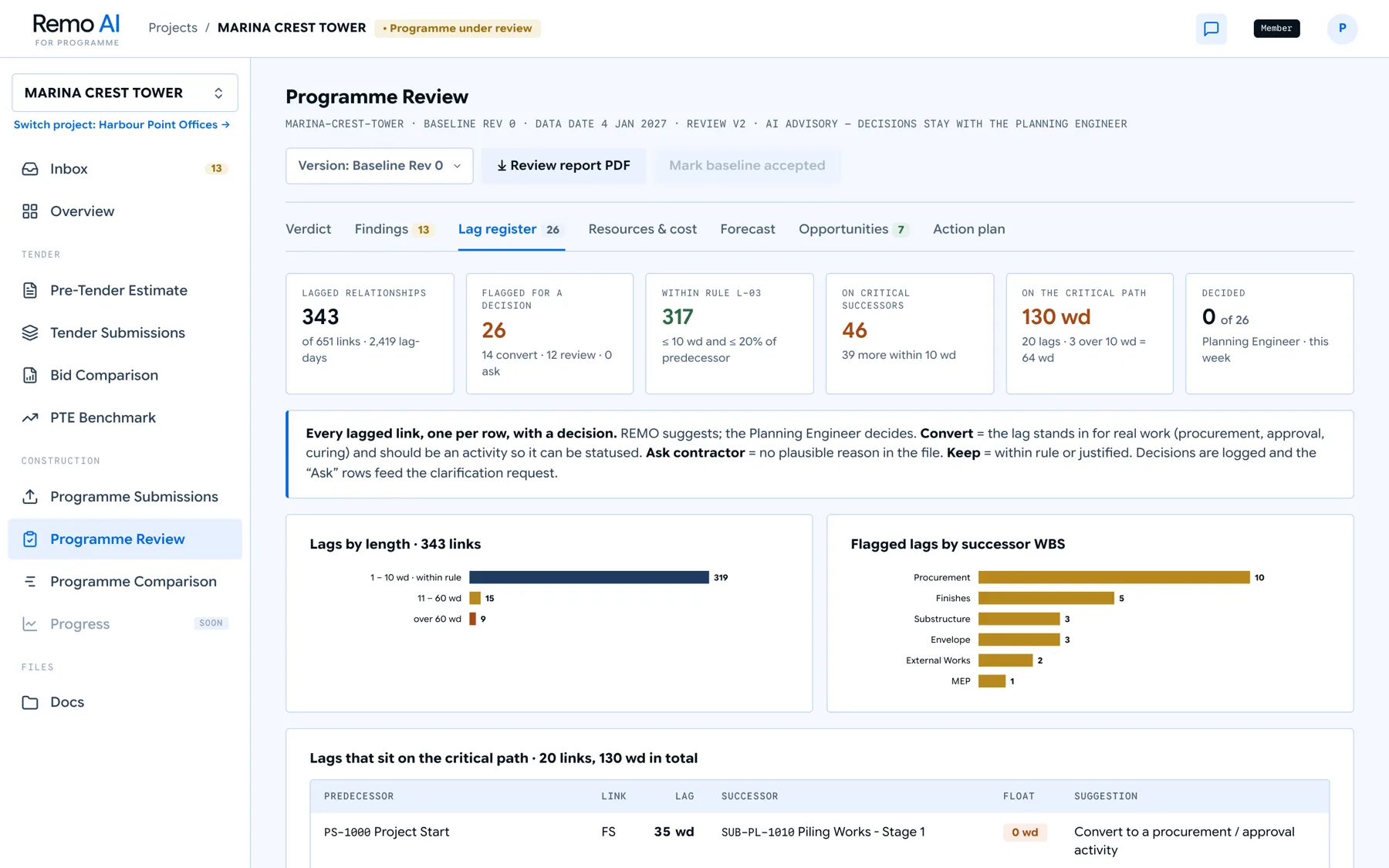
- Step 3 · Lag register Every lag, ready to decide Keep it, convert it to a real activity, or ask the contractor to justify it. Each decision is logged.
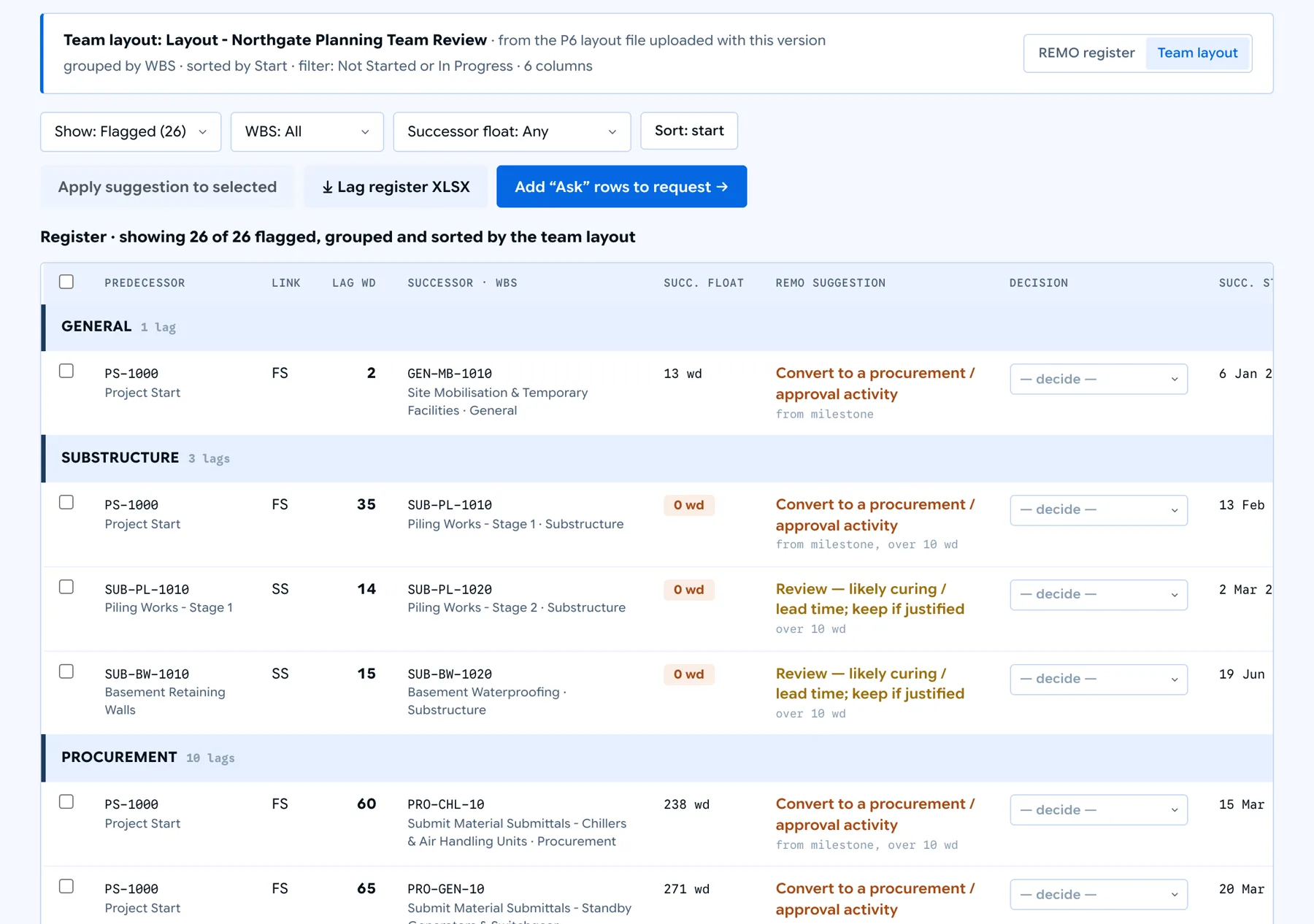
- Step 4 · Your P6 layout The register, the way your team reads it Upload the .plf with the XER. The lag register gains a Team layout view, grouped by WBS and sorted and filtered as your Activities layout is.
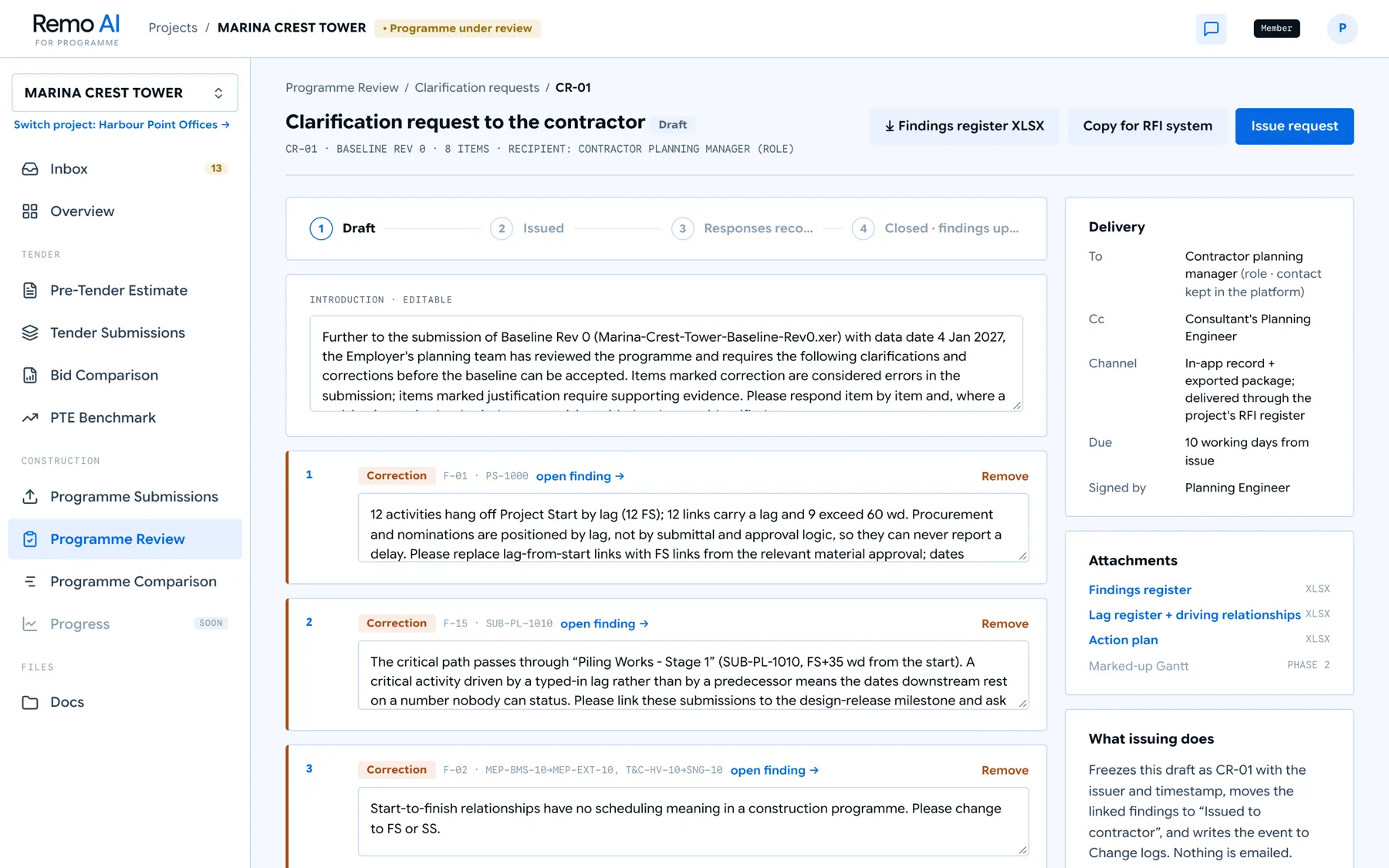
- Step 5 · Clarifications One request to the contractor Select the findings and issue a single clarification request. The contractor sees exactly what to correct.
- Step 6 · Ask the programme Questions answered from the file The Remo Program Assistant answers from the review and the XER, and says “not in the file” when it is not.
VerdictCredible, subject to clarification — with the reasoning.
FindingsFour numbers on every finding.
Lag registerEvery lagged relationship, one row each, with a decision.
Your P6 layoutThe lag register, grouped and sorted by the team’s own layout.
ClarificationsOne request to the contractor, ready to issue.
Ask the programmeAnswers come from the programme’s own data.

Review it in the order your team already works.
Export your Activities layout from Primavera (Layout › Export) and upload the .plf with the XER, or attach it to a version later.
Grouping, sort and filters
Remo reads the layout’s WBS grouping (to the saved level, or by an activity code), its sort, and its filters, such as hiding completed activities.
A Team layout view
The lag register switches between Remo’s own register and your layout: rows under WBS bands in Primavera’s order, hidden rows counted, and your columns shown for the successor activity.
Honest about what is not in the file
Columns that live only in the baseline project, such as baseline start and finish or variances, are marked “not in file” rather than guessed.
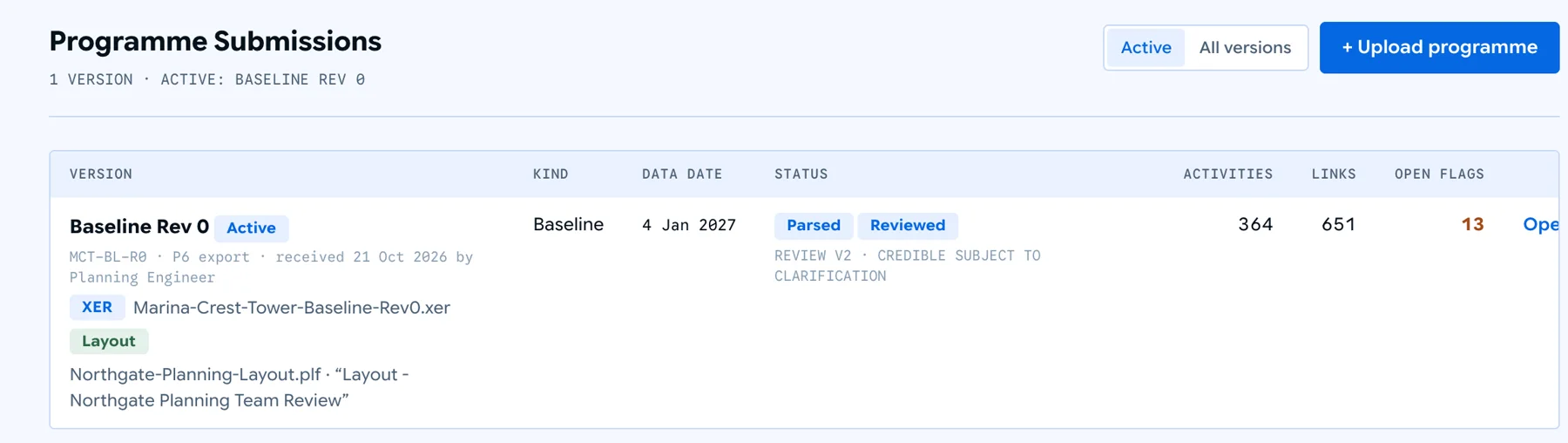
The layout is kept with the version, next to the XER. Fictional project and contractor.
How it stays honest
Advice that shows its working.
The engineer decides
Every finding, lag and opportunity is a decision for the Planning Engineer. Remo suggests; decisions, requests and changes are kept as a log.
Every AED figure has a derivation
Delay cost uses the contractor’s own time-related item as an indicative rate until the LD rate is set in project settings, and says so.
Roles, not names
Findings, requests and decisions refer to roles. The assistant quotes only what its tools returned and otherwise says the answer is not in the file.
Your P6 layout, respected
Attach the team’s .plf and the lag register follows its grouping, sort, filters and columns, in Primavera’s own order.
Beyond the review
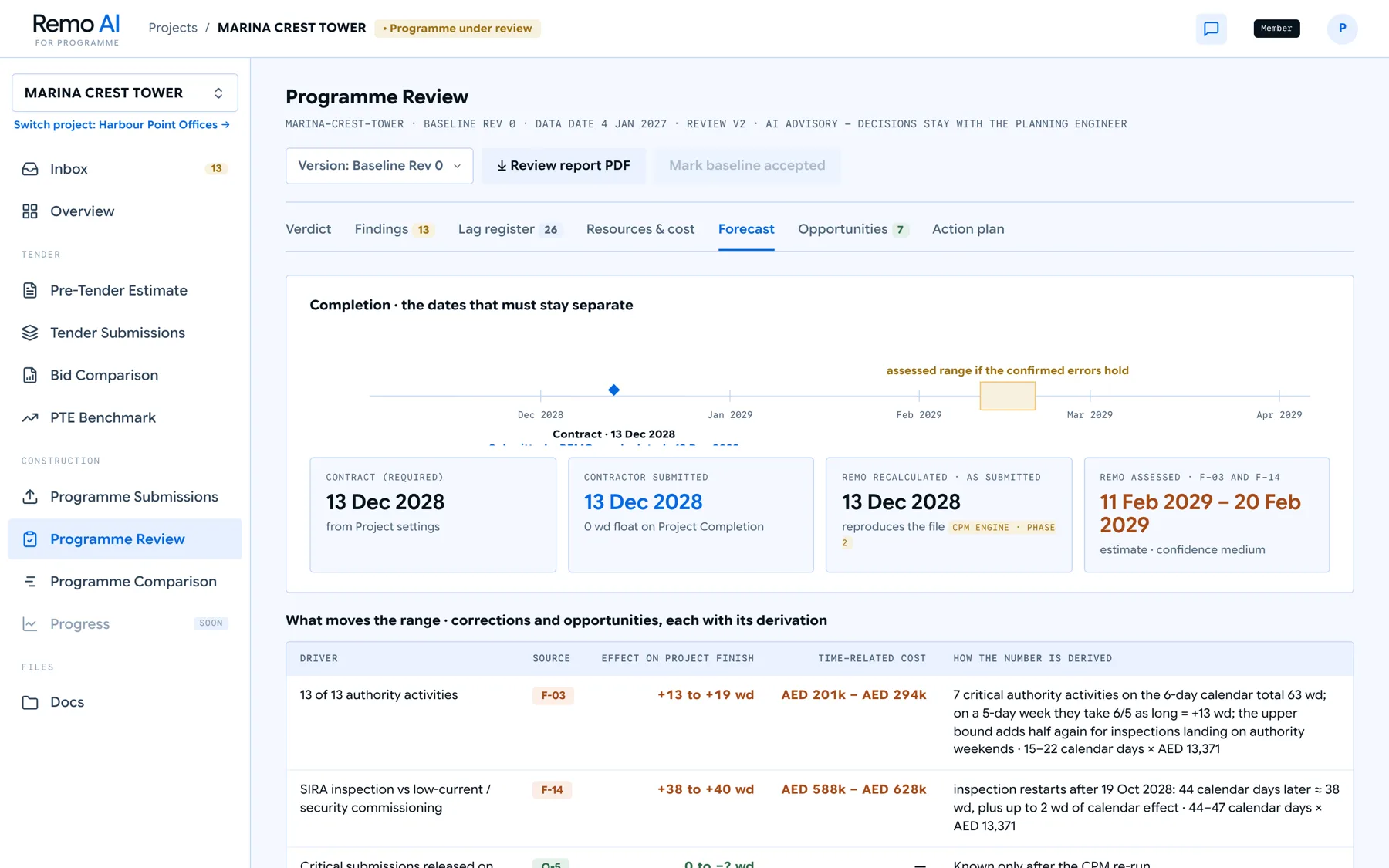
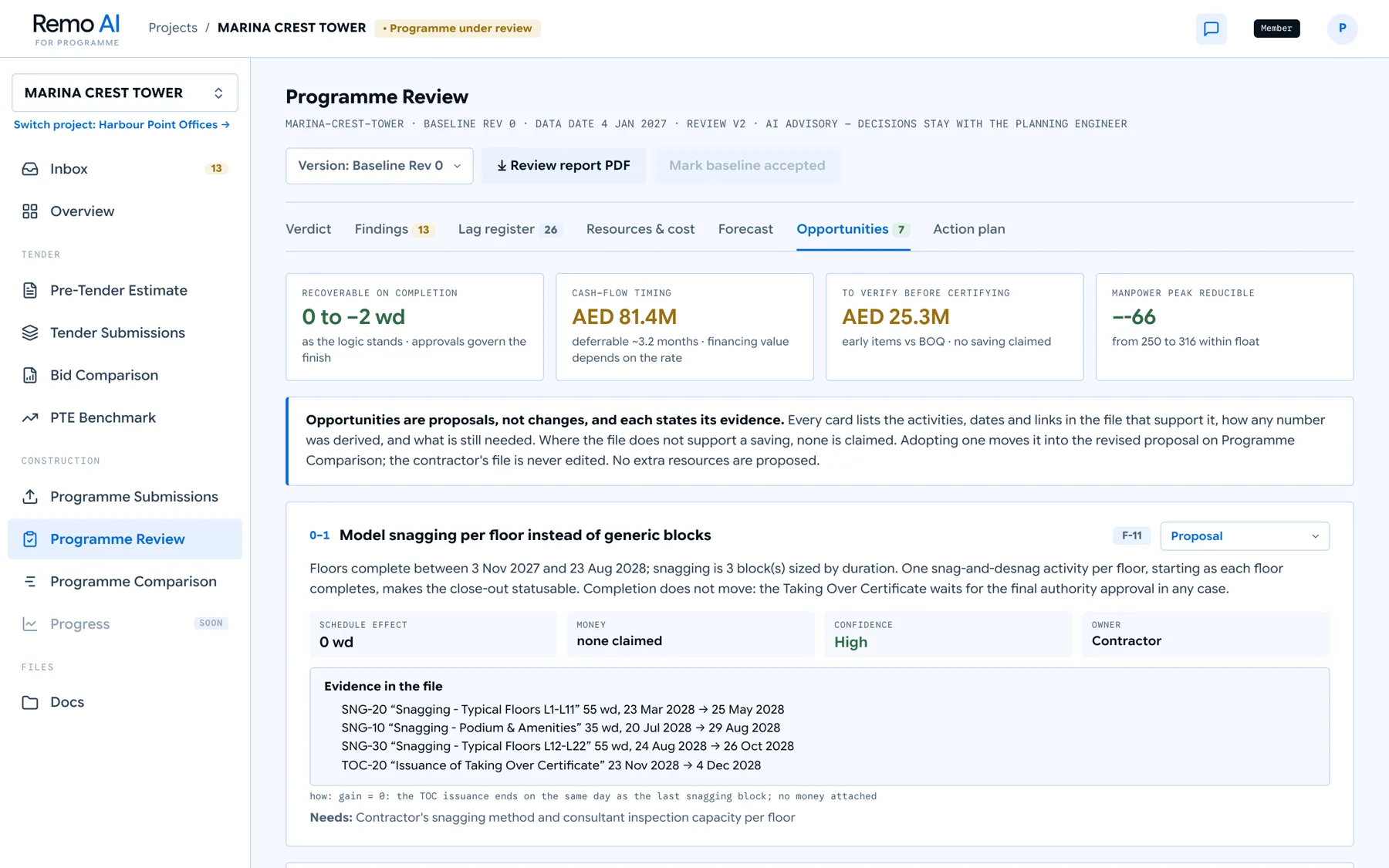
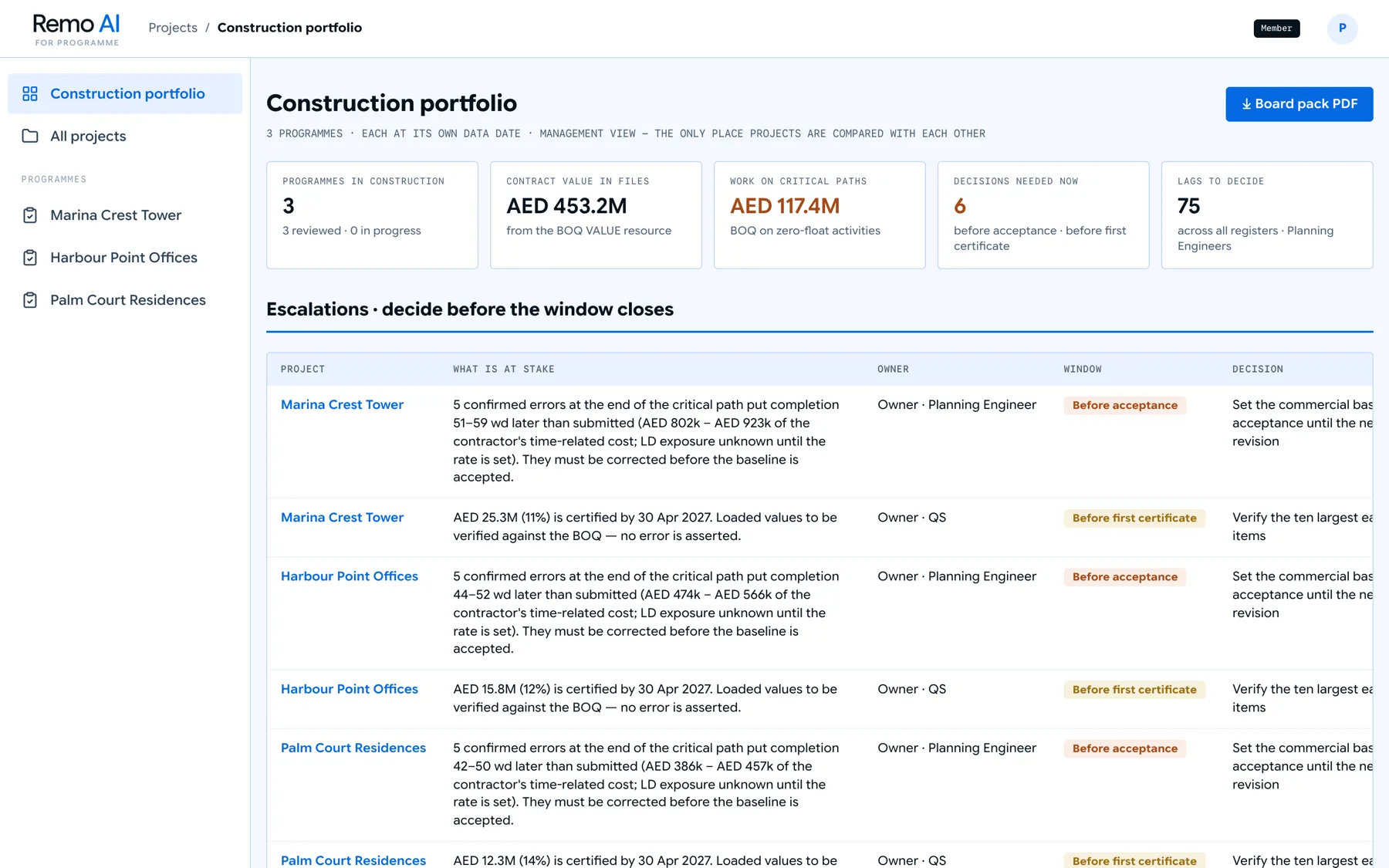
Forecast, opportunities and the portfolio.
In motion
A programme review, start to finish.
1 minute 43 seconds. A fictional tower project, from the XER and layout upload to the assistant, a clarification request and the portfolio view.
Bring a programme and see what it finds.
The questions that take a planning engineer days are the ones worth testing it on.